
Plans & PricingSignup for FreeGet a demo

ClicData Update, Focus on Sharing!

Telmo Silvaon November 7, 2013
Last updated on May 14, 2025

Hey there ClicData users!

ClicData has been built around 3 simple but fundamental steps:

  • Connect your Data
  • Create your Dashboards
  • Share your Work

In this week’s update we’ve added more features to further ease this third collaborative step.

Password Protected Dashboards

Remember how ClicData can create hyperlinks to your dashboards with a simple click? Well, some of our users where concerned about confidentiality when they were using this feature.

We have listened to them and you can now activate password protection in the same menu.

Once activated, the dashboard will only be displayed if the correct password is entered.

Distribution Lists

“Professional” and “Enterprise” users now have access to Distribution Lists. You have the ability to select and add contacts to specific lists and to schedule the date at which you want dashboards to be shared automatically.

ClicData has now a fully functional “Fire & Forget” system for your dashboards. Once created and configured it can automatically feed itself from your data source and be exported to your designated contacts without having to do anything.
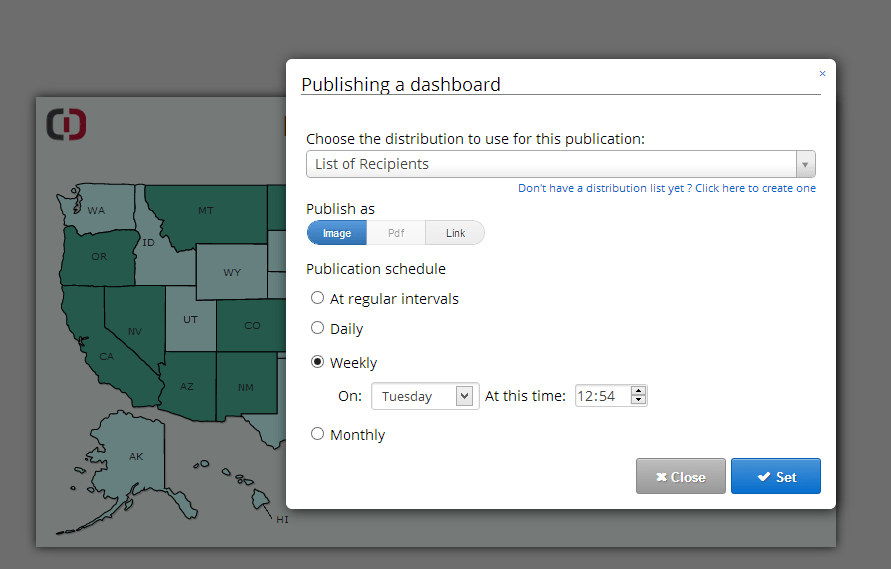
Automatic distribution

Welcome to The ClicPeace of Mind of Business Analytics!

To use this new Fire & Forget feature, look for the automation Icon on your dashboard panel.

Happy Dashboarding!

Table of Contents

Share this Blog

Other Blogs

AI Analytics for SaaS Platforms: How to Add Intelligence Without Building It From Scratch

Give a competent engineering team a week and they'll have something working. A GPT endpoint wired up, a charting library on the front end, a handful of SQL queries hitting…

From BI to AI Analytics: What the Transition Actually Looks Like in Practice

In most mid-market companies, the BI half of the picture is the part that's settled: the dashboards refresh overnight, the Monday reports land in inboxes, and there's a tidy stack…

ABC Analysis in Inventory Management: How to Classify Your SKUs and Manage by Impact

You're managing 400 SKUs. You treat every product the same, same reorder triggers, same attention, same safety stock logic. Then one of your top-10 revenue products runs out on a…
All articles
We use cookies.
We use necessary cookies to make our site work. We'd also like to use optional cookies which help us improve our the site as well as for statistical analytic and advertising purposes. We won't set these optional cookies on your device if you do not consent to them. To learn more, please view our cookie notice.

If you decline, your information won't be tracked when you visit this website. A single cookie will be used in your browser to remember, your preference not to be tracked.
Essential Cookies
Required for website functionality such as our sales chat, forms, and navigation. 
Functional & Analytics Cookies
Helps us understand where our visitors are coming from by collecting anonymous usage data.
Advertising & Tracking Cookies
Used to deliver relevant ads and measure advertising performance across platforms like Google, Facebook, and LinkedIn.
Reject AllAccept