In most mid-market companies, the BI half of the picture is the part that’s settled: the dashboards refresh overnight, the Monday reports land in inboxes, and there’s a tidy stack of SQL behind every figure on screen. What’s new is the pressure coming from above to bolt AI onto all of it, and somewhere between the board deck and the budget meeting, the jump from “we have dashboards” to “we have augmented analytics” starts to sound like a far bigger lift than it turns out to be.
The question worth answering, then, is what genuinely shifts across your tooling, your team’s week, and the data plumbing underneath when you move from traditional BI to AI business intelligence, and what stays exactly where it was. No hype here, and no promises that AI for business intelligence is about to replace your analysts.
If you’re a CTO, a data analyst, or a BI consultant inside a mid-market B2B company, the rest of this should land squarely. You’ve already sunk real budget into dashboards and pipelines, and now someone wants AI layered on without a rip-and-replace project that nobody signed off on. You’re large enough that the numbers carry weight in actual decisions, and small enough that there’s no in-house research team waiting around to absorb the work.
At a Glance
- The real split between traditional BI and augmented analytics comes down to who starts the work: in the old model an analyst writes a query before anything surfaces, while augmented analytics goes looking on its own.
- Bringing AI in adds anomaly detection, written summaries, forecasting, and plain-language querying, though none of it retires the analyst, the business context, or the person who actually has to make the call.
- Expect the team’s week to change in three spots, with analysts spending more time checking AI output than building it, alerts taking over from the morning dashboard ritual, and people no longer queuing for the BI team just to ask a simple question.
- Point AI at messy, scattered, ungoverned data and it won’t hesitate; it’ll hand you a wrong answer that sounds completely sure of itself.
- A quick gut-check on four things, whether your data is centralised, whether your KPIs agree with each other, whether your pipelines run themselves, and whether you’ve got enough history, tells you if you’re even ready to start shopping.
- All of this is heading somewhere specific, which is decision intelligence: less “here’s what happened last week” and more “here’s what we should do about it.”
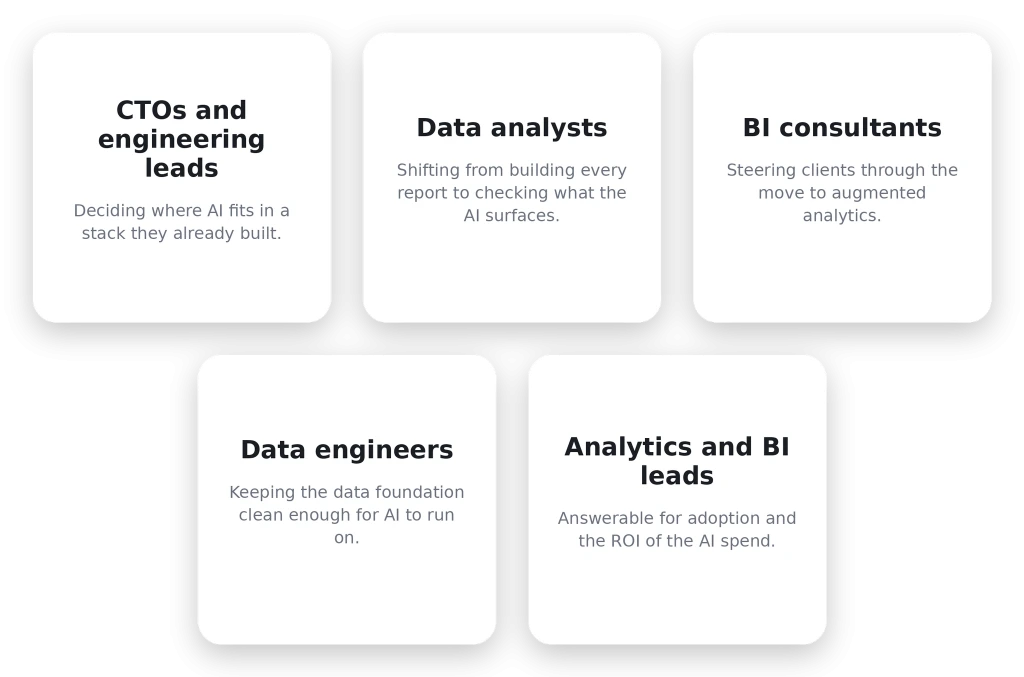
Who this is for:
What is the difference between traditional BI and augmented analytics?
Traditional BI only moves when a person moves it. An analyst builds the dashboard, sets the refresh, writes the query behind the report, and the insight just sits there until somebody decides to go and look. There’s nothing wrong with that, to be clear. It’s dependable, you can audit every step, and for a huge share of routine decisions it remains exactly what you want. The catch is the waiting, because nothing announces itself, so you only learn what the data knows once you’ve gone and asked it.
Augmented analytics moves the starting gun. The AI and machine-learning layer picks up the chores that used to chew through analyst hours, preparing the data, hunting for what shifted, drafting the write-up, running the forecast, and it does them without being asked first. The difference shows up on a Friday afternoon, when the platform flags a slipping conversion rate and tells you in plain language roughly where it started, instead of the Monday report breaking that news three days too late.
Side by side, the two approaches separate pretty cleanly.
| Dimension | Traditional BI | Augmented analytics |
|---|---|---|
| Data preparation | Analysts clean and model it by hand | The system profiles and preps, with sign-off |
| Insight discovery | You query for it, then you find it | It gets surfaced before you go looking |
| Reporting | A scheduled refresh, then a static view | Live, with a written narrative alongside |
| Forecasting | Trend lines stretched across a spreadsheet | ML models trained on your actual history |
| Skill requirement | Heavy on SQL, gated by analysts | Open to people who’ve never written a query |
Two rows in the comparison above repay a closer look: data preparation and forecasting.
- On the data preparation row, the traditional BI column has analysts cleaning and modelling by hand, while the augmented analytics column says the system “profiles and preps.” That doesn’t mean the data fixes itself; it means the platform reads what’s coming in, flags type mismatches and outliers it doesn’t trust, and proposes a transformation that a human still signs off.
- On the forecasting row, the traditional BI column stretches a trend line across a spreadsheet, while the augmented analytics column trains an ML model on your actual history. The gap between the two widens here: a spreadsheet trend line bets that next quarter looks like last quarter, whereas an ML model folds in seasonality, weighs several drivers at once, and catches the non-linear patterns a straight line misses.
This is also where two search terms turn out to mean the same thing. Plenty of people type “machine learning vs business intelligence” or “ai vs bi” into Google expecting two opposing camps, when augmented analytics software is just BI with an ML layer handling the grunt work that used to land on an analyst’s desk. If the line between AI, ML, and data science is still blurry for you, we pulled them apart in a separate piece.
What is decision intelligence, and how does it extend BI?
Think of decision intelligence as the layer that sits on top of all this, pulling data, AI, and a deliberate way of reasoning together so that calls get made faster and with less second-guessing. BI is happy telling you what happened, and a bit of diagnostic work will tell you why, but a decision intelligence platform keeps pushing until it reaches “so here’s what we’d do,” occasionally with the recommended move already spelled out. It isn’t really a thing you purchase in a box. It’s more a habit that augmented analytics finally makes realistic, because the moment a system can forecast and explain itself, nudging you toward the right choice is barely a step further.
What does AI actually add to a business intelligence stack?
Strip away the abstraction around AI for business intelligence and the augmented analytics tools out there mostly circle the same short list of jobs. Four of them carry the load, so let’s be specific about each.
Automated anomaly detection
The platform keeps an eye on your metrics around the clock and pipes up when one wanders outside its usual band. Churn creeping upward, a ROAS that suddenly sags, a feed that goes silent when it shouldn’t. What you get out of that is freedom from the daily ritual of opening every dashboard to confirm nothing fell over in the night. A marketing team gets pinged about a 25% drop in conversion rate on Friday afternoon, rather than discovering it in the weekly review three days later when the budget is already spent.
Natural language generation for reports
That weekly summary an analyst grinds out by hand? AI business intelligence tools will write it for you now. The system reads whatever the chart is showing and turns it into a paragraph of ordinary English. ClicData puts the time saved at somewhere between one and two hours per reporting cycle, and once you multiply that across a whole team it stops being a rounding error. There’s a catch, though, and vendors are oddly quiet about it: the trick only holds up on clean, properly modeled data. Aim a language model at a pile of inconsistent inputs and it’ll still produce something fluent and self-assured, just wrong. Garbage in, confident nonsense out.
Predictive and prescriptive analytics
Forecasting is where this starts paying rent. Descriptive BI hands you what happened, diagnostic BI gets at why, and from there predictive models sketch where a KPI is drifting while prescriptive ones go a step further and float what you might do about it. Suddenly the meeting is about next quarter instead of a post-mortem on the last one. If you want to see how the modeling holds together, we walk through forecasting across SQL and Python in a BI platform.
Self-service AI querying with Ask AI
The last piece takes the analyst out of the loop for the everyday questions. Someone in finance types “why did revenue dip in March” the way they’d ask a colleague, and the answer comes back straight from the governed data with not a line of SQL in sight. That’s precisely what ClicData’s Ask AI handles, and the permissions ride along with it, so each person only ever quizzes the data they’re cleared for and self-service never sneaks open a back door to everything else.
| BI task | The old way | With AI in the mix |
|---|---|---|
| Spotting that a metric moved | Someone checks the dashboard | An alert fires on its own |
| Writing the report narrative | An analyst types it up | The summary writes itself |
| Forecasting a KPI | A trend line in a spreadsheet | A model trained on your history |
| Answering a one-off question | Wait for an analyst’s query | Ask it in plain language |
Look down that last column and the through-line is hard to miss. None of this is a brand-new task that didn’t exist before; it’s the same old jobs with the manual slog and the waiting around stripped out. Net those four out and the working week looks different in three concrete ways. Nobody starts the morning scanning dashboards for breakage anymore, because the alert reaches them first. Analysts pour more of their hours into checking what the system drafted than into building from a blank query. And the constant drip of “can you pull me this number” requests slows to a trickle once the people asking can serve themselves.
What does NOT change when you add AI to your analytics?
The teams that get something real out of AI know where it stops. The teams that get burned assumed it didn’t stop anywhere. Either way, four things hold regardless of how clever the model gets.
AI cannot fix bad data, it amplifies it
Hand a model inconsistent or half-empty data and it won’t pause to flag the problem; it’ll cheerfully construct an answer on top of the mess. Clean data and real governance aren’t a tidy-up you schedule for after launch, they’re the thing the whole rollout stands on. Gartner’s Rita Sallam framed it bluntly at the firm’s 2026 data and analytics briefing: “Without trust in the data … there is no value from AI” (Gartner, April 2026). Skipping that step is the single most overlooked way these projects fall apart before anyone’s even watching for it, and we laid out the full case for why a BI strategy collapses without a solid data foundation elsewhere, where every line of it counts double the moment AI enters the picture.
AI does not eliminate the need for analysts
The role bends; it doesn’t vanish. Instead of burning the week pulling reports, analysts spend it pressure-testing what the AI produced, nailing down the KPI definitions the models lean on, and adding the context that turns a bare number into something you’d act on. A 2025 Alteryx survey of 1,400 data analysts pointed the same way, with 87% saying their role had grown more strategically important over the year and only 17% seriously worried about AI coming for their jobs (Alteryx, 2025). The valuable skill shifts from “can you write the query” to “can you tell when the answer’s off,” and the second one is both rarer and worth a great deal more.
AI cannot replace business context
The model has no clue you paused that campaign, that a rival ran a flash sale the same week, or that the warehouse sat empty for nine days back in May. All it sees is the dip; the reason behind the dip is invisible to it. So someone still has to annotate and contextualise, because the explanation a model offers up with the most confidence is very often the one that has no idea what really went on out in the world.
AI augments decisions, it does not make them
A platform can lay out what the data is saying, and the sharper tools will even venture an opinion on what they’d do. But choosing, living with the outcome, and defending it when the next board meeting rolls around stays firmly in human hands.That’s not some gap waiting to be patched in a future release; it’s simply where the accountability has to sit.
What infrastructure does your team need before AI analytics can work?
An AI driven business intelligence setup will only ever be as trustworthy as the data sitting underneath it, and this is the part teams routinely wave off as less interesting than the shiny bits. Gartner’s own numbers make the case better than any vendor could, since the organizations seeing real returns from AI put as much as four times more investment into their data and analytics foundations than everyone else (Gartner, April 2026). Before you so much as book a demo, a few things really do have to be true.
Your data needs to live in one place, with every source that feeds a real decision pulled together rather than strewn across CSV exports, a dozen spreadsheet tabs, and three SaaS tools that have never once spoken to each other. Your KPIs need to agree, so that “revenue” reads the same in the finance dashboard as it does in the sales one; leave that unresolved and the AI will simply average two contradictory definitions into a third figure that reconciles nothing. The pipelines themselves have to run and check on their own, so the data waiting for you each morning has already cleared its tests rather than sitting there silently broken until someone happens to notice.
You also need enough history for the models to chew on, and the rule most forecasting teams work to lands somewhere in the twelve-to-twenty-four-month range of clean, consistently tracked data before a projection is worth betting on. Governance and role-based access round it out, so the right people see the right slices and the AI inherits those rules rather than blithely stepping around them. Run through all of this before you draw up a shortlist of augmented analytics platforms, not somewhere down the line once you’ve already signed, because everything coming up next assumes the groundwork is already holding.
How does the transition from traditional BI to AI analytics look step by step?
Step 1: Audit your current BI stack
Begin with an honest inventory of what’s in the building. Which data is genuinely centralised and which is still hiding in silos, how far your stakeholders trust the figures they’re handed, and where exactly your analysts are bleeding hours into manual busywork. That picture is what tells you how much foundation-laying stands between today and any AI layer worth the name, and for plenty of teams the truthful answer lands somewhere around “more than we’d hoped.”
Step 2: Build a clean, centralized data foundation
Wire every source that matters into a single warehouse, get your KPI definitions agreed and standardized, and automate the refresh and validation until the data more or less keeps itself honest. There’s no skipping this one. An augmented analytics platform sitting on fragmented data just gives you fragmented answers faster, and no model on earth papers over that for you.
Step 3: Start with the AI features that carry the lowest hallucination risk
Order matters more than people expect. Lead with anomaly detection, since it’s about as close to a yes-or-no signal as you’ll get, something moved or it didn’t, and there’s barely any room to misread it. Layer automated summaries on after that. Save forecasting for last, once you’ve banked enough clean history to give the models something solid to stand on.
Step 4: Train teams on AI-assisted workflows
For analysts, the change runs from producing every output by hand to vetting the drafts the system hands over. The training that earns its keep is in reading data well and clocking when an AI answer has gone sideways, not in prompt engineering, which tends to soak up more attention than it deserves. Put the budget into judgment.
Step 5: Measure the ROI of the transition
Watch the numbers that genuinely shift: hours clawed back per reporting cycle, how quickly an insight reaches someone who can act on it, and the gap between how fast decisions get made now and how long they used to take. If none of those budge, the rollout has a problem, and you want to find it early rather than at renewal. For a frame to hang the measurement on, we get into analytics ROI for better decisions separately.
How ClicData enables the transition from traditional BI to AI-powered analytics
None of the above is tied to any one vendor, but it happens to line up neatly with the way ClicData is put together, which is exactly why we steer clients through the move in this sequence instead of opening with the AI and hoping for the best.
It opens with the data layer, because everything else leans on it. ClicData’s 500+ connectors haul every marketing channel, CRM, payment processor, and back-office system into a single warehouse, which is the centralisation step the whole readiness list hangs off. Built-in transformation and validation then take care of the bit we called non-negotiable, since AI can’t fix bad data, so ClicData scrubs and checks it before it ever lands on a dashboard or feeds a model. That one decision removes the failure mode that trips up most of the category.
With clean data in place, the AI features finally have something worth working on. Ask AI lets anyone on the team interrogate a dashboard in plain language, fenced to whatever data they’re allowed to touch, so the finance question that used to sit in an analyst’s queue gets answered while the person is still looking at the screen. Tell a Story takes care of the write-up under each chart — the hour or two of manual commentary every cycle used to demand — automatically. On the monitoring side, the Automation and Alerts layer keeps watch over your metrics and notifies the right people the moment one crosses a threshold or a feed goes quiet, which turns the manual morning check into something that comes to you. And for the many teams running without a data science function, the ML and forecasting modules put predictive work genuinely in reach. Tying the whole thing off is role-based access, so analysts get the full picture, executives get the trimmed-down version, and embedded client dashboards stay branded and walled off from one another.
The pitch for ClicData was never that it out-scores every rival on every single feature. It’s that the connectors, the warehouse, the validation, the AI, and the delivery all sit inside one product, so you’re not duct-taping three vendors together just to land one augmented analytics workflow. Fair’s fair, though, and the trade-off deserves saying out loud: the Data Flow model takes a while to click, the documentation has thin spots, and the community is smaller than the crowds around the giant incumbents. For a mid-market team that would rather keep the whole pipeline under one roof, that’s usually a swap worth making. And if you’re wondering where it all heads next, ClicData’s shift from AI chatbots toward agents is the stretch of the roadmap to keep half an eye on.
Watch the AI features do their thing over on the ClicData AI platform, or grab a session with the team and walk through your own stack with someone.
Conclusion: Is your organisation ready for AI-powered analytics?
AI business intelligence tends to pay off for whoever put in the dull groundwork ahead of time. The companies getting real mileage out of it didn’t sprint straight for the AI toggles; they squared away their data, got everyone agreeing on what the metrics meant, and only then started bolting intelligence on top, and that running order ended up mattering rather more than which tool they picked.
Run down the list below and tally how many you can already tick:
- 🔲 Every key data source already lives together in one warehouse.
- 🔲 The KPI definitions are written down somewhere, and they match across systems.
- 🔲 Pipelines run on their own and validate themselves without a babysitter.
- 🔲 People trust the reports, and the “whose number is right” argument has gone quiet.
- 🔲 Analysts have room in the week to review AI output, not just crank out reports.
- 🔲 There’s a year or more of clean history sitting ready for the models to learn from.
- 🔲 Role-based access isn’t just designed, it’s switched on and enforced.
- 🔲 Someone with budget authority is genuinely behind the AI spend.
Tick most of those and you’ve earned the right to start evaluating augmented analytics software for real, rather than reading about it from the sidelines. Come up short on several, and you’ve just found your roadmap, and clearing it will do more for next quarter than any demo could. Whichever camp you’re in, the ClicData AI platform is a sensible place to get a feel for what the layered approach looks like once the foundations are holding.
FAQs
What is the difference between traditional BI and augmented analytics?
Traditional BI sits and waits for an analyst to build a query or a report before anything useful shows up. Augmented analytics uses AI and ML to go find the insight itself, prepping the data, catching anomalies, drafting summaries, and forecasting trends without being asked. It’s the same data either way; what changes is whether a person or the system goes looking first.
What does AI actually add to a business intelligence platform?
Four things, mostly: it watches for anomalies non-stop, writes the report summaries in plain English, handles predictive and prescriptive forecasting, and lets people ask questions in natural language. Each one takes something analysts already did by hand and cuts out the wait.
Can AI replace data analysts and BI teams?
No, and anyone telling you otherwise is selling something. The role shifts rather than disappears, with analysts moving from building every report to checking AI output, pinning down the KPIs the models depend on, and supplying the context a model can’t see for itself. The work gets more analytical, and it leans harder on judgment than report-building ever did.
What is decision intelligence, and how is it different from BI?
Decision intelligence brings data, AI, and a structured way of reasoning together to make decisions quicker and with more nerve. BI tells you what happened; decision intelligence keeps going until it reaches what to do about it, sometimes with the recommended move already attached. It’s where augmented analytics naturally lands once the forecasting and the explanations are working.
How does AI improve forecasting in analytics platforms?
A traditional forecast just stretches a historical trend across a spreadsheet. ML models weigh seasonality, several drivers, and non-linear patterns all at once, which sharpens the projection and shifts the conversation from rehashing the past to planning the next quarter, assuming there’s enough clean history to train on.
What are the biggest risks of adding AI to an existing BI stack?
Top of the list by a mile is running AI on top of bad data, because the model can’t flag inputs it shouldn’t trust and will build on them anyway. After that it’s trusting the outputs without a human check, skipping governance, and switching everything on at once instead of easing in with low-risk features like anomaly detection.