Ask ten data engineers to name the most trusted ETL tools and you’ll get a short list of products followed by a much longer list of caveats. This guide covers the tools that hold up in production, including Fivetran + dbt Labs, Airbyte, Matillion, Qlik Talend Cloud, Informatica, and the native services from the three big clouds. It also covers what engineers mean when they call a pipeline trustworthy, which has almost nothing to do with feature lists, and the question most buying processes skip: whether a mid-market team needs a standalone pipeline layer at all. By the end you’ll have a way to judge any tool on this list, plus a checklist for deciding between an assembled stack and one platform that covers the whole chain.
At a glance
- ETL and ELT both exist to move data out of source systems into somewhere you can analyze it, and the transform-before-or-after-load ordering is the only real difference between them.
- Engineers judge trust by failure behavior, not feature count: what happens when a source API changes its schema overnight, how long recovery takes, and whether anyone can see what broke.
- Ownership consolidation has changed what you’re buying. Several tools on every shortlist are now parts of larger platforms rather than independent products, which shifts the roadmap risk you take on when you adopt one.
- Pricing model beats sticker price. Consumption billing, credit systems, and capacity-based tiers all produce very different invoices from the same volume of data.
- Running four vendors means four sets of credentials, four support queues, and four places where a KPI definition can quietly drift.
- Do you need a separate pipeline layer? For a lot of mid-market teams, an all-in-one BI platform with built-in ETL covers the same ground with one login and one bill.
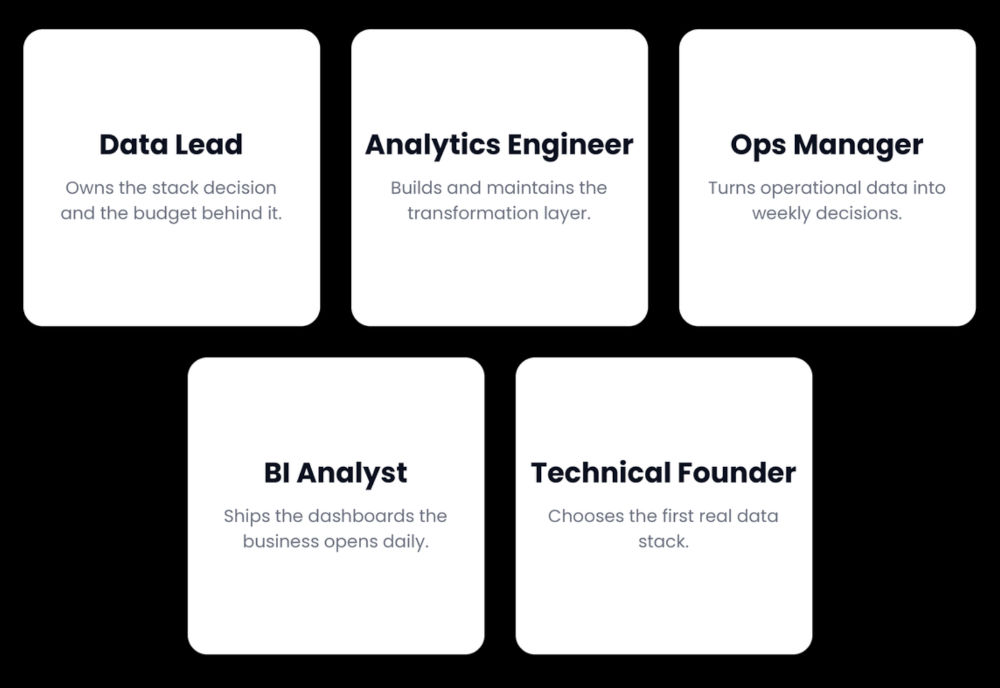
Who this is for:
What ETL and ELT actually do, in plain language
ETL stands for extract, transform, load. You pull data out of a source system, reshape it into the structure your analysis needs, and then write it into a warehouse or database. ELT flips the last two steps. You extract, load the raw data straight into the warehouse, and transform it there using the warehouse’s own compute.
That’s the whole distinction. Both approaches solve the same problem, which is that your revenue lives in one system, your ad spend in another, your support tickets in a third, and nobody can answer a question spanning all three without moving the data somewhere common first.
The shift toward ELT happened because cloud warehouses got cheap and fast enough to do transformation work that used to need a dedicated server. Loading raw first also keeps the original, so when someone changes a business rule six months later you reprocess history instead of re-extracting it.
Why the ETL vs ELT debate barely matters for most mid-market teams
Vendors argue about this because the answer maps to their own architecture. For a team pulling from a dozen SaaS sources at modest volume, the ordering has almost no practical impact on cost, speed, or maintenance load. What does have an impact on a working data pipeline: how many systems you’re stitching together, who fixes it when it breaks, and whether the numbers on your dashboard match the numbers in the source. Our guide to ETL pipelines goes deeper on the mechanics.
The modern data stack, and who it is genuinely built for
Before comparing individual tools, it helps to see the shape most teams are being sold, because the tools below are components of it rather than alternatives to it.
The assembled modern data stack is a chain of four specialized layers, each bought separately:
- Extraction and load. Fivetran or Airbyte connects to your sources and lands raw data in the warehouse. This layer owns the connectors and the sync schedules.
- The warehouse. Snowflake, BigQuery, or Databricks stores the raw data and provides the compute that everything downstream runs on. It’s the center of the architecture and usually the largest line item.
- Transformation. dbt turns raw tables into modeled, tested, business-ready ones. Models live in git, get code-reviewed, and run on a schedule against the warehouse.
- Business intelligence. Looker, Power BI, or Tableau reads the modeled tables and puts them in front of people.
With a final (optional) layer depending on the complexity of the system:
- Orchestration. Once the schedule gets complicated enough that “run this after that finishes” stops fitting in a cron entry. That’s where Airflow and Dagster come in, and it’s why they appear in the cost table further down.
Each layer is best-in-class at its job and the interfaces between them are well understood. This is a good architecture, and it’s the right call for large data engineering organizations: high volumes where warehouse compute tuning changes the bill materially, governance obligations that need fine-grained lineage, and transformation logic that has to live under version control with peer review. Teams with a dedicated data platform function get real value from owning each layer independently, because they can swap one component without rebuilding the others.
Signs your team actually needs this
- You have at least one full-time data engineer and expect to still have one next year
- Multiple analysts write transformation logic and need to review each other’s work
- Source data volume is large enough that a specialized warehouse justifies its cost
- Compliance requires you to trace a dashboard number back through every transformation to its origin
If none of those describe you, keep reading. The rest of the article is about what the assembled stack costs teams that adopt it without those conditions.
What data engineers mean by “trusted”
Trust isn’t a feature you can compare in a table, which is why vendor comparison pages are so unsatisfying on this point. Engineers who’ve run pipelines in production for a few years converge on roughly four things.
- Failure behavior. A trusted connector fails loudly, fails safely, and recovers without manual surgery. If a source adds a column at 2am, the good tools either adapt or stop cleanly and tell you. The bad ones write half a table and let the dashboard display it as though nothing happened. Silent partial success is the failure mode engineers hate most, because it destroys trust in the numbers rather than just the pipeline. Retry logic, idempotent re-syncs, and alerting are the mechanics behind this, and we covered how to design for them in our piece on SLA-driven schedules and pipelines.
- Who maintains the connector. SaaS APIs change constantly. When Salesforce or HubSpot ships a breaking change, somebody has to update the extraction logic. Whether that somebody works for the vendor, for an open-source community, or for you is the single biggest predictor of how much of your week the pipeline consumes.
- Cost you can forecast. This one surprises people who haven’t been burned by it yet. A backfill of three years of history can produce an invoice nobody budgeted for, and failed syncs still consume credits on several usage-based plans. Engineers trust tools whose bills they can predict within a reasonable margin, which is a different question from whether the tool is cheap.
- An exit. Open source code you can fork, SQL you can port, transformation logic that isn’t locked inside a proprietary visual editor. Teams that have migrated once tend to weight this heavily, and it’s a criterion we’ll come back to when we get to ClicData, because it’s the one where an integrated platform has the most to answer for.
Notice that none of those are about connector counts.
The most trusted ETL tools by data engineers
Two of the products below changed ownership in the last twelve months, which is worth saying out loud because it changes what you’re buying rather than just who invoices you.
Fivetran + dbt Labs
Best for: teams that want managed extraction and version-controlled transformation from one vendor, with the largest practitioner community behind it.
The two companies completed their all-stock merger on June 1, 2026, having announced it in October 2025, with George Fraser continuing as CEO and Tristan Handy serving as President. dbt Core v2.0 arrived alongside it, bringing the dbt Fusion engine into open source under the Apache 2.0 license, though it shipped in alpha and is not yet generally available. For anyone who evaluated these as two separate purchases last year, that’s now one vendor relationship covering two layers of the stack.
Pros:
- Connectors are vendor-maintained, which means schema changes at the source are somebody else’s problem
- dbt is close to a de facto standard for transformation, so hiring and documentation are both easier
- The combined community is enormous, and community depth is an underrated reliability factor.
- Fusion going open source under Apache 2.0 reduces the lock-in argument against dbt, though v2.0 and the other launch features are still in testing and shouldn’t be planned around yet
Cons:
- Consumption pricing based on monthly active rows has a long-standing reputation for being difficult to forecast. Donald Farmer of TreeHive Strategy, reviewing the merger, characterized Fivetran’s pricing history as complex and aggressively consumption-based
- Two very different company cultures are now one company, and Farmer flagged the culture clash risk between an open-source community and a closed-source SaaS business as a real one
- You still need a warehouse underneath, so this is two line items of a stack rather than the whole thing
Airbyte
Best for: engineering teams with a compliance-driven reason to self-host, or anyone who wants connector source code they can read and fork.
Airbyte earned its following by being the credible open-source answer to Fivetran, and it’s the name that comes up most often when teams search for a Fivetran alternative. The self-hosted edition is free and the connector catalog is large, though the honest version of that pitch includes a caveat about who maintains what. Vendor-certified connectors are solid. Community-maintained ones range from excellent to abandoned, and you generally find out which is which in production.
Pros:
- Genuinely free self-hosted option with no licensing cost
- Connector development kit lets you build against an internal or obscure API instead of waiting for a vendor roadmap
- Managed cloud costs less than Fivetran at lower volumes, though the two converge as volume climbs and the crossover point is worth quoting out rather than assuming
Cons:
- Self-hosting trades a software bill for an infrastructure bill plus recurring DevOps hours, and teams routinely underestimate the second one
- Connector quality varies with who maintains it
- The jump from the entry cloud tier to the enterprise tiers is steep, and security features like SSO and role-based access sit on the upper plans
Matillion
Best for: enterprise teams already pushing transformation down into Snowflake, Databricks, or Redshift.
Matillion repositioned hard over the past year. The company now leads with Maia, which it describes as an AI Data Automation platform, and in March 2026 it announced Migration Agent in public preview, a capability that converts pipelines from 14 named legacy platforms into native pipelines on Snowflake, Databricks, or Redshift. If you assessed Matillion ETL two years ago, you’re looking at a substantially different proposition today.
Pros:
- Pushdown execution keeps transformation inside your warehouse rather than a separate compute layer
- Low-code and full-code paths coexist, so SQL and Python people aren’t locked out of the visual tooling
- Migration tooling is unusually mature for teams leaving Informatica or Alteryx, though public preview is not general availability and should be scoped as such
Cons:
- The product you evaluated last year isn’t the product being sold this year, and heavy AI positioning makes like-for-like comparison harder
- Warehouse-first by design, so this assumes you’ve already bought a warehouse, and the migration path targets three destinations rather than any warehouse you happen to run
- Enterprise pricing and enterprise sales cycle
Qlik Talend Cloud
Best for: organizations that want data quality, governance, and integration inside one product rather than three.
Talend has been doing this longer than most of the names above have existed, and the data quality tooling still holds up. What changed is the free path in. Talend Open Studio was retired on January 31, 2024, so the on-ramp that brought thousands of teams into the ecosystem is gone, and the product now sits inside Qlik’s portfolio under the Qlik Talend Cloud name.
Pros:
- Data quality and profiling features are more mature than anything in the ELT-native crowd
- Very broad connectivity across legacy systems, not just modern SaaS
- Governance capability that satisfies regulated-industry requirements
Cons:
- Steeper learning curve, and the Java-heavy heritage shows in places
- Contract pricing is opaque, which makes budgeting a negotiation rather than a calculation
- Post-acquisition support experience comes up repeatedly on public review platforms, so read Gartner Peer Insights and G2 directly before committing
Informatica
Best for: large regulated enterprises with master data management and lineage requirements that a modern ELT tool doesn’t address.
Salesforce completed its acquisition of Informatica on November 18, 2025, in a deal valued at roughly $8 billion, folding the data catalog, integration, governance, quality, metadata management, and MDM products into the Salesforce platform. Informatica remains the reference point for enterprise data management, and it remains overkill for almost every mid-market team.
Pros:
- Governance, lineage, and MDM depth that nothing else here matches
- Decades of proven deployment in banking, healthcare, and other regulated sectors
Cons:
- Cost and implementation effort put it out of reach without a dedicated platform function
- The roadmap now follows a CRM vendor’s agentic AI strategy, which may not point where you’re going
- Starting from scratch here is a large commitment if you’re not already an Informatica shop
AWS Glue, Azure Data Factory, and Google Cloud Data Fusion
Best for: teams fully committed to one cloud who’d rather not add a vendor.
All three are competent, cheap at low volume, and integrated with the identity and permissions model you already run. Treat them as one option rather than three, because the decision is usually made for you by whichever cloud your infrastructure already lives in. Google’s Dataflow gets named in these comparisons a lot, but it’s managed Apache Beam: code-first, stream and batch processing, no visual builder. Data Fusion is the drag-and-drop, connector-based service that belongs alongside Glue and Data Factory.
Pros:
- No new vendor relationship, no new security review, no new invoice
- Billing lands inside your existing cloud commitment, which often means committed-spend discounts apply
- Deep integration with everything else in that cloud, including IAM and private networking
Cons:
- SaaS connector coverage is the weak spot across all three, so pulling from a marketing platform that ships quarterly API changes means maintaining that integration yourself
- You get infrastructure rather than a product, and the operational burden reflects that
- Each carries a skill dependency, from Spark familiarity for Glue to visual builders that get awkward once logic outgrows the canvas
A category note: Airflow and Dagster are not ETL tools
These come up constantly in trust conversations, so it’s worth being precise, and they’re deliberately not scored above because they’re a different category. Airflow and Dagster orchestrate. They decide what runs, in what order, and what happens on failure. They don’t ship connectors and they won’t extract anything from Salesforce on their own. If a comparison article lists Airflow alongside Fivetran as a like-for-like alternative, it’s worth checking what else it got wrong.
The hidden cost of assembling three or four vendors
Every layer of the assembled stack has a published price and a second cost that doesn’t appear on any invoice.
| Layer | Vendor example | What it costs beyond the invoice |
|---|---|---|
| Extraction and load | Fivetran, Airbyte | Credential rotation across every source, re-sync charges after backfills, schema drift alerts somebody has to triage |
| Warehouse | Snowflake, BigQuery, Databricks | Compute tuning, storage growth that nobody owns, query cost surprises after a dashboard goes viral internally |
| Transformation | dbt | Model reviews, CI setup, and one person who understands the dependency graph |
| Orchestration | Airflow, Dagster | Infrastructure to run it plus the on-call rotation that comes with it |
| BI | Looker, Power BI, Tableau | Per-seat licensing, and calculated fields that slowly diverge from the upstream models |
Two rows deserve explanation. The transformation row is the one teams underestimate: dbt itself is inexpensive, but a production dbt project with tests and CI is a software project and needs the review discipline of one. The BI row is where metric drift surfaces. An analyst under deadline pressure adds a calculated field in the BI tool instead of opening a pull request against the model, that field disagrees with the warehouse by some small margin, say three percent, and nobody notices until finance and marketing bring different revenue numbers to the same meeting. We wrote about the fix for that in our piece on stopping KPI drift in SQL reporting.
There’s a switching cost buried in here too. Teams that go looking for a Fivetran alternative after a surprise invoice discover that the extraction layer is the easy part to move. The dbt models referencing those table names, the BI dashboards referencing those models, and the orchestration DAG that sequences all of it are what make the migration a quarter-long project instead of a weekend.
Where this shows up first: the second data source
The first source is always fine. You connect it in an afternoon, the demo dashboard looks great, and the decision feels validated. The second source is where the real cost appears, because now you have joins across systems with different customer identifiers, different date handling, and different refresh schedules. Add a third and you’re not configuring a tool anymore, you’re operating a data pipeline that somebody has to own.
When one platform with built-in ETL is enough, and when it isn’t
There’s a pair of numbers worth sitting with before the criteria. IDC research, cited by analyst Devin Pratt in coverage of the Fivetran and dbt Labs merger, found that 97% of organizations want to reduce the number of products they use for data management, while only 12% want to move to a single vendor.
Read the first number alone and every consolidation pitch, ours included, sounds obvious. Read them together and the picture gets more honest: almost everyone wants fewer tools, and almost nobody wants everything from one supplier. That tension is the actual decision in front of you, which is why this section has two halves rather than one.
An all-in-one BI platform is usually enough when:
- Nobody on the team carries “data engineer” in their title
- Data volume is measured in millions of rows rather than billions
- Transformation needs are joins, cleanup, aggregation, and business rules rather than heavily customized models
- Time from a new question to a working dashboard matters more than architectural elegance
- The bill needs to be forecastable, because someone in finance asks about it quarterly
It stops being enough when you need git-versioned and peer-reviewed transformation models, when you’re pushing volumes that justify dedicated warehouse compute tuning, or when a data platform team already exists and has opinions. Those are legitimate requirements, and an all-in-one BI platform won’t satisfy them.
How ClicData’s integrated approach works
Earlier we said connector counts aren’t what engineers judge, and that holds here. ClicData publishes a figure of over 500 native connectors, but the number that matters is that ClicData maintains them rather than leaving them to a community. When a source API changes, the fix arrives without anyone on your team writing it. That’s the criterion from the trust section, applied to a vendor rather than a category.
As a BI platform with built-in ETL, ClicData covers the chain rather than one layer of it. Connectors handle extraction from the SaaS systems mid-market teams run, including Salesforce, HubSpot, Google Ads, and QuickBooks Online. Data Flow is the visual transformation designer, handling joins, cleanup, and business logic through a node-based builder. Data Script is the separate SQL and Python environment for work the visual designer doesn’t cover cleanly, and the two can run in the same pipeline. Output lands in ClicData’s own data warehouse and lake, and dashboards read from there. Connector groups and module availability vary by plan, so check the tier against your actual source list before assuming coverage.
That means one login, one vendor relationship, and one place to look when a scheduled refresh either ran or didn’t.
The data management layer handles the operational parts that are easy to skip when you’re assembling your own stack: refresh scheduling, permissions, and visibility into what ran. For SaaS companies embedding reporting into their own product, the embedded analytics path runs on the same data pipeline rather than a parallel one. Teams that build client-facing reporting on a separate stack end up maintaining two.
Honest limitation: two of them, and the second is the one the trust framework above points at. Data Flow has a learning curve and isn’t a replacement for a git-versioned dbt project; if your requirement is code-reviewed transformation models with branch-based development and CI, ClicData isn’t the tool for that job. The exit question is the harder one. Logic built in a visual designer doesn’t port the way a dbt model does, and any integrated platform scores worse on that criterion than a stack of open components. What partly offsets it is that transformation written in Data Script is SQL, which does port, and ClicData connects to warehouses you already run rather than requiring you to abandon them. Weigh it against the maintenance cost you’re avoiding. The full platform overview covers what is and isn’t included.
The free trial runs 15 days, which is enough time to connect two real sources and see whether the join you care about works. Or book a session and walk through your stack with someone.
Assembled stack vs all-in-one, side by side
| Dimension | Assembled stack | All-in-one platform |
|---|---|---|
| Vendors to manage | Three to four | One |
| Transformation | dbt or SQL, engineer-owned, version controlled | Visual designer plus a SQL and Python environment |
| Time to first dashboard | Weeks to months of integration work | Days to weeks |
| Cost model | Blended: usage-based extraction, warehouse compute and storage, per-seat BI | Single subscription |
| Who operates it | Data engineer or platform team | Analyst or ops lead |
| Portability | High: open components, logic in git | Lower: visual logic is platform-specific, SQL still ports |
| Best fit | Large data engineering organizations, high volume, complex governance | Mid-market teams, agencies, SaaS companies embedding analytics |
The row worth arguing about is transformation. Version-controlled models are better engineering practice, and a team with the discipline to maintain them will get more out of an assembled stack. The question is whether your team has that discipline available this quarter, or whether the models would end up unreviewed anyway.
How to decide: a short checklist
Run through these. A yes on any of the first three points toward the assembled stack. A yes on any of the last three points toward one platform.
- Do you employ a dedicated data engineer today, and will you still in a year?
- Do you need git-versioned, code-reviewed transformation models to satisfy an audit or an internal standard?
- Is your data volume large enough that warehouse compute tuning would meaningfully change your bill?
- Would getting from a new business question to a working dashboard in under a week change how your team operates?
- Would a pipeline failure on a Saturday go unnoticed until Monday?
- Does your finance team need to forecast this cost more than a quarter ahead?
The verdict: most teams without a dedicated data platform function are over-buying when they assemble the full modern data stack. They pay for four products, use a fraction of each, and spend engineering time they don’t have on integration work that produces no business value. That isn’t an argument against the tools in this article. Every one of them is good at what it does. It’s an argument for buying the shape of solution that matches the team you have.
Conclusion
The most trusted ETL tools by data engineers earn that trust through unglamorous properties: predictable failure, maintained connectors, forecastable bills, and a way out. Judge any product on this list against those four and the marketing pages become much easier to read.
Then ask the prior question. If your pipeline exists to get eight SaaS sources into dashboards that twenty people read, a separate extraction vendor, a warehouse, a transformation framework, and a BI tool is four solutions to one problem. Start by writing down every source you need and who will maintain the connection to it. That list usually answers the question faster than any comparison table, including ours. For the wider context, our guide to building a data pipeline is the companion piece to this one.
FAQs
Is ClicData an ETL tool?
Not exactly, and the distinction matters when you’re comparing. ClicData includes ETL capability through its connectors, Data Flow, and Data Script, but it’s a full BI and data management platform: extraction, transformation, storage, and visualization in one product. If you need a standalone extraction tool to feed a warehouse you already run, a dedicated ETL vendor is the better category fit.
Do you still need a separate warehouse or dbt with ClicData?
No, though you can keep a warehouse you already run. ClicData includes its own data warehouse and lake, and transformation is handled by Data Flow for visual work and Data Script for SQL and Python. It also connects to warehouses you already run. What it doesn’t replace is a git-based transformation workflow with branches and pull requests.
What is the difference between ETL and ELT?
The order of the last two steps. ETL transforms data before loading it into the destination. ELT loads raw data first and transforms it inside the warehouse using that warehouse’s compute. ELT became the default as cloud warehouses got cheap and fast, and it has the advantage of preserving raw history you can reprocess later.
When does a dedicated ETL tool make more sense than an all-in-one platform?
When you have a data engineering team to run it, when volumes are high enough that specialized tooling pays for itself, when governance requirements demand fine-grained lineage, or when you need a specific connector no all-in-one platform offers. Existing investment counts too. If you already run Snowflake with mature dbt models, adding managed extraction on top is more sensible than replacing the stack.
Which ETL tool do data engineers trust most?
There’s no single answer, and anyone who gives you one is selling something. Fivetran has the strongest reputation for connectors that keep working without intervention, Airbyte for openness and the ability to fix things yourself, Informatica for governance depth in regulated environments. Trust is contextual: the tool engineers trust is the one whose failure modes they’ve already learned.
Can ClicData connect to a data warehouse we already run?
Yes. Snowflake, BigQuery, Redshift, SQL Server, and PostgreSQL are among the supported database and warehouse connections, so an existing warehouse stays in the picture rather than being replaced.
How many data sources does ClicData connect to natively?
Over 500 native connectors spanning CRM, advertising platforms, accounting systems, databases, cloud storage, and spreadsheets, with custom API connections for sources outside that catalog. Which connector groups are included depends on your plan.