The Monday dashboard is blank again. Once more, the gateway servers lost connection overnight, cutting off the data flow between source systems and reporting tools. Executives are left with outdated numbers. According to the Uptime Institute’s 2024 Outage Analysis, more than 54% of infrastructure failures cost organizations over $100,000, and 20% exceed $1 million.
These disruptions force teams to manually export and upload CSV files just to keep stakeholders updated. When decision-makers receive inaccurate or delayed metrics, confidence in the entire data pipeline begins to erode. Analysts get trapped in repetitive manual cycles, increasing the likelihood of errors in otherwise automated systems.
In this article, you will learn how to replace unreliable gateway infrastructure with a secure connector layer using ClicData. This approach ensures continuous connectivity across both cloud and on-premise systems. It eliminates the need for constant maintenance while keeping your dashboards accurate and up-to-date.
Why Do Gateway Servers Cause Reporting Delays?
Gateway services serve as intermediaries between Business Intelligence (BI) tools and internal data sources. However, this architecture creates multiple failure points that disrupt reporting workflows.
Dashboard refreshes depend on gateway services staying online and properly configured, yet these services often restart silently or crash without monitoring, taking the entire reporting systems offline. According to Microsoft documentation, some of the most common gateway problems include timeout errors, authentication failures, and resource limits that cause refresh jobs to fail while appearing successful.
Each data source requires separate authentication methods, firewall rules, and network configurations. This creates maintenance overhead that scales poorly when organizations try to add new data. When these connections fail, analysts are forced to upload last-minute CSVs. This often leads to human errors, inconsistencies, and removes automated validation checks.
On the other hand, silent failures are risky because expired credentials may go unnoticed, dashboards can display incorrect data, and issues are often only discovered during important meetings. These problems disrupt decisions that rely on up-to-date information.
Common Technical Failures
Some of the most common technical failures are listed below, and here is how you can prevent them from affecting your BI data pipelines:
Network and Firewall Issues
Connectivity is the first major hurdle in gateway-dependent systems. Firewalls automatically block inbound connections, including the JDBC (Java Database Connectivity) or ODBC (Open Database Connectivity) traffic by default, which limits direct access to internal servers. Network latency above 20 ms between gateways and data sources creates significant performance bottlenecks. It then slows the refresh cycles and increases timeout risks.
On the other hand, many traditional gateways depend on specific outbound ports (TCP 443, 5671-5672, and 9350-9354) to communicate with cloud services. Any changes to these firewall rules can break existing connections without warning and can create severe security vulnerabilities.
Service Management Problems
Once connections are running, the services behind them introduce another layer of fragility. Gateways frequently restart or crash silently without generating any logs or monitoring alerts. This makes it difficult to diagnose problems quickly.
Services often fail to start within the default time limits after server reboots. A single gateway failure can disrupt dozens of reports across multiple departments.
Authentication and Credential Risks
Credentials and authentication management are another weak link in the chain. Organizations commonly store their credentials in scripts or configuration files that create vulnerability during the sharing or account rotation process.
Service account passwords expire with no notification, causing silent refresh failures that teams discover only when stakeholders notice outdated data. OAuth (open authorization) tokens refresh inconsistently, breaking automated data loads and forcing manual interventions that introduce human errors.
Monitoring and Visibility Gaps
Finally, the lack of visibility makes troubleshooting much harder than it should be. Error messages often appear cryptic and provide little actionable information, which hence delays troubleshooting. Gateway logs remain stored only on the local machines, making it hard to spot patterns and fix problems early. When datasets depend on each other, one single failure can trigger more failures that can be nearly impossible to trace and resolve quickly.
Recognizing these failure modes makes it possible to design BI data pipelines that avoid them. The next section describes the features any robust connector layer must include to avoid encountering these problems.
Gateway Server Failure Modes at a Glance
Here is a quick table summarizing the most frequent gateway server failures and how to prevent them:
| Category | Issues | Prevention |
|---|---|---|
| Network and Firewall | Blocked JDBC or ODBC, >20ms latency, port changes break links | Use outbound agents, monitor latency, and standardize firewall rules |
| Service Management | Silent crashes, failed restarts, and single failure disrupt reports | Add health checks, auto-restart, and centralized logging |
| Authentication and Credentials | Plaintext creds, expired passwords, unstable OAuth tokens | Use a secure vault, rotate accounts with specific role-based access, and monitor token refresh |
| Monitoring and Visibility | Cryptic errors, local-only logs, cascading failures | Centralize logs, improve error messages, and map all dependencies |
What Does a Reliable Connector Layer Need?
A connector layer that replaces gateways has to deliver resilience, security, and flexibility. Below are the key features and characteristics that make it reliable:
Secure Credential Storage
Firstly, a reliable connector layer must store all credentials and tokens encrypted in a credential vault supporting role-based access control. This will ensure that analysts use connections without being exposed to secrets. Automated rotation and audit trails are key for security and compliance.
For instance, the Azure Key Vault and similar systems allow you to store secrets securely and grant only specific user or service accounts access. This means there are no plaintext passwords in the scripts, and allows auditing only to those who accessed the secret.
Universal Connector Support
Native connectors should support diverse data sources, including SQL databases, REST and SOAP APIs, file transfer protocols, and cloud services, all through a single interface. Support for various authentication methods, including OAuth and token-based access, is essential.
For example, the Web Service Connector by ClicData supports over 500 applications. This helps eliminate the need for custom gateway software for each data source.
Automated Scheduling with Intelligent Recovery
The connector layer should allow scheduled refreshes that support both full and incremental data loads, with built-in retries and failure alerts. Beyond simply running on a timer, it should automatically detect failures, re-attempt jobs, and notify IT teams before issues reach stakeholders.
Incremental loading reduces strain on networks and systems, while intelligent scheduling can push heavy refreshes to off-peak hours to balance performance and reliability.
Comprehensive Data Load Validation
Before updating dashboards, the connector must validate that the data is complete and accurate. This is achieved by using some techniques like row-count comparison, schema validation, and business rule enforcement to catch issues early on and maintain trust.
Putting all this together means your connector layer is resilient. You now have a secure secret store, connectors for every source, automated schedules with built-in retries, and end-of-load validation. In the next section, we will outline the step-by-step implementation of these requirements.
Implementation Plan for a Reliable Connector Layer
Below is a practical step-by-step plan that guides the creation and deployment of a reliable connector layer that can remove dependence on fragile gateway servers:
Step 1: Map All Your Current Data Sources
Start by listing all the various data sources or dependencies that feed your dashboards. These include databases, APIs, and other file systems. Identify which connections require the internal network access versus cloud-based connections.
Create a simple inventory, which should include:
- Source system name and location
- Current refresh frequency
- Authentication method
- Recent failure incidents
This baseline helps prioritize which connections to migrate first and reveals hidden dependencies between datasets.
ClicData’s Smart Connectors of Automatic Throttling, Authentication, and Paging
Step 2: Centralize Authentication Management
Now, move all of your database passwords, API keys, and service account tokens out of scripts into a secure credential vault with audit logging. Configure the service accounts specifically for data access, separate from all the user accounts.
Make use of modern systems that should support:
- Automated Password Rotation Policies: Service accounts and API tokens automatically update passwords to reduce the risk of expired or exposed credentials.
- Role-based Access Controls: Users can create and use connections without directly handling the sensitive credentials.
- Integration with Identity Providers: Centralized management through systems such as the Active Directory.
- Audit Logging: Tracks credential usage, access attempts, and detects unauthorized patterns to strengthen security and compliance.
This step alone will reduce security risks and simplify credential management across each team.
Step 3: Deploy Connector Infrastructure
For internal data, install a lightweight connector agent (like ClicData’s Data Loader Agent) on a secure server or VM (virtual machine) that has access to your internal network or databases. This will pull data out (via an outbound HTTPS connection) into your BI environment. Unlike traditional gateways, these agents create outbound-only connections that do not require opening inbound firewall rules or setting up a VPN (virtual private network).
Test connections to each of the data sources and verify that your agents can reach both cloud and on-premises systems. These agents authenticate using encrypted tokens and maintain persistent connections to the cloud services. This will help to eliminate the authentication overhead that causes many gateway server failures.
Step 4: Automate Refresh Scheduling with Recovery
Create automated refresh schedules for each data source in your BI platform. For each specific job, configure it to run at the desired frequency (e.g., hourly, nightly) and then select incremental updates if possible.
Orchestration within ClicData is seamless
Gateway failures can be of different types and may require distinct retry strategies, including retry logic and failure notifications. For instance, network issues may need quick retries, while authentication problems may require different handling.
To fix this issue, set up monitoring that can:
- Detects failures within minutes
- Provides detailed error messages
- Automatically retries transient issues
- Escalates persistent problems to administrators
In addition to that, use circuit breaker patterns to stop retrying when upstream systems are temporarily unavailable. Configure the system to automatically resume operations when conditions improve.
Step 5: Implement Data Quality Checks
Before a refresh job updates data to the dashboard, run quick automatic checks like row count thresholds and schema consistency checks. Use monitoring dashboards to track validation metrics over time and tune thresholds to reduce false alarms. This will ensure only quality data reaches decision makers.
How ClicData Makes Gateway-Free BI Simple
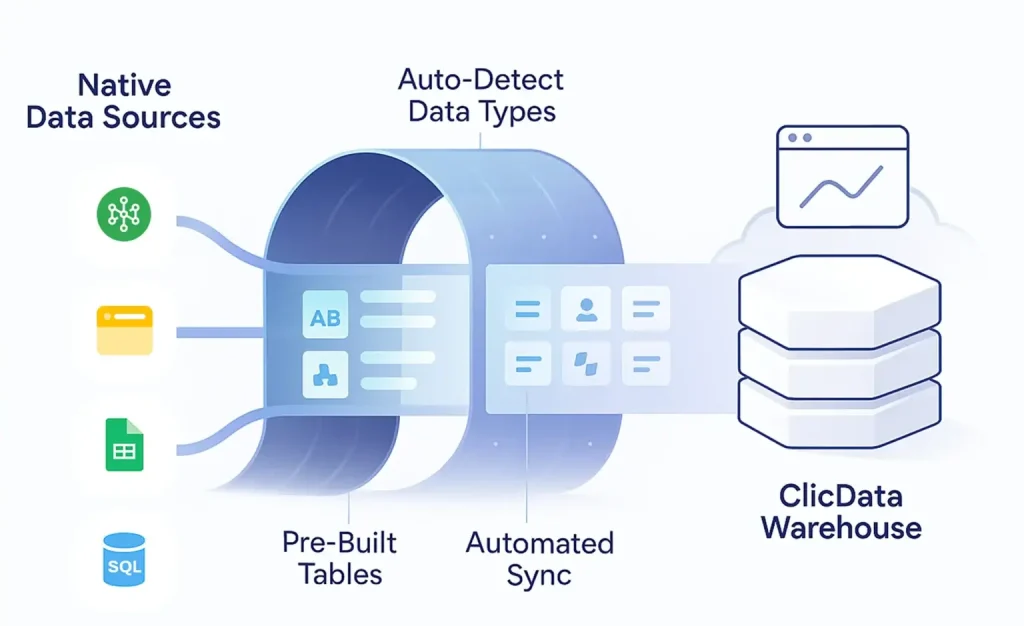
ClicData removes gateway dependencies through a secure connector layer that supports both cloud and internal data sources. The platform offers over 500 built-in connectors with native connectivity, accessible via a single interface that automatically handles authentication and data formatting.
The Data Loader Agent creates secure, outbound-only connections without requiring VPN configurations or firewall changes. This lightweight agent (under 35MB) runs on Windows, macOS, or Linux servers and eliminates common gateway vulnerabilities.
ClicData’s visual task scheduler replaces unreliable gateway refresh cycles with automated jobs featuring built-in retry logic and error notifications. Incremental loading uses timestamp filtering or row-level hashing to sync only the changed data.
The system also manages the sync state automatically to prevent duplicates when recovering from failures. Built-in validation rules check the row counts, data types, and business logic before updating the dashboards, preventing silent failures and guaranteeing data accuracy.
Additionally, the platform supports real-time data ingestion through API integration to allow near-instant updates as records change. This reduces reliance on batch processing and allows for streamlined synchronization without complex custom workflows.
Maintaining Live Dashboards Without Manual Intervention
Removing gateway servers makes your BI setup self-sustaining. Automated refresh jobs and quality checks keep dashboards accurate and up to date, while retry logic fixes temporary issues without manual work.
With full visibility into refresh rates, data trends, and performance, teams can focus on insights instead of connection fixes.
A secure connector layer ensures reliable, gateway-free data pipelines that stay fresh automatically.
See it in action, book a demo or start a free trial to see how hassle free it can be.