A call center’s shift lead refreshes a dashboard every few minutes during a product launch, trying to catch a queue backing up before customers start hanging up. The data behind that dashboard was piped in overnight. Most content about moving data between systems covers that overnight pattern, batch ETL on a schedule, because it’s what most reporting actually needs. This article covers the other half: real-time data integration, where data lands in a warehouse or dashboard within seconds of the event, and how to tell whether you genuinely need that or whether a scheduled refresh already does the job. It walks through what real-time integration means in practice, when it earns its complexity, how ClicData’s Data Hooks and API handle it, and what building the same thing from scratch actually costs in engineering time.
Key Takeaways
- Real-time data integration means data arrives within seconds or minutes of an event; batch ETL moves it on a schedule, hourly or nightly. Neither is better across the board; they fit different jobs.
- Operational alerting, e-commerce inventory, and call center monitoring genuinely benefit from real-time data. Monthly finance reporting and quarterly board decks usually don’t, and batch is cheaper to run and maintain.
- ClicData’s Data Hooks module creates endpoints that receive and parse inbound web service calls and custom emails, with MQTT broker support planned.
- ClicData’s API lets a team insert, update and delete data in real time, and trigger schedules or downstream data flows directly.
- Building real-time ingestion in-house means handling pagination, authentication, throttling, and payload formats yourself; a managed connector absorbs that work (ClicData’s API connector ships 15 pagination modes and 8 authentication methods out of the box).
- Security for a real-time pipeline should cover both data in transit and at rest, plus an on-premises option for teams that can’t open inbound firewall connections.
What real-time data integration actually means
Real-time data integration means that data lands in a warehouse or dashboard within seconds or minutes of the event happening, rather than waiting for the next scheduled run. An order placed in an online store, a support ticket closed, a sensor reading logged: each one can trigger a data movement the moment it occurs, instead of sitting in a queue until midnight.
Batch ETL is the more common pattern, and for good reason. It moves data on a schedule, hourly, nightly, or whenever a job is set to run, and it’s simpler to build, cheaper to operate, and easier to debug because the data isn’t constantly in motion. Most dashboards checked once a day or once a week don’t need anything faster than that.
This isn’t a case for real-time over batch. It’s a different tool built for a different kind of question. Batch answers ‘how did we do yesterday, last week, last quarter.’ Real-time answers ‘what’s happening right now, and does someone need to act on it in the next five minutes.’ The rest of this article is about recognizing which question a given dashboard is actually trying to answer, because that decides whether real-time integration is worth building at all.
When you actually need real-time data (and when you don’t)
Real-time integration earns its complexity when someone needs to act within minutes, not when a dashboard simply looks more impressive updating live. A few patterns where it genuinely pays off:
- Operational alerting. A server error rate spiking, a payment processor failing, a queue backing up: these need someone notified now, not at tomorrow’s standup.
- E-commerce inventory tracking. Selling the same unit on two channels because stock counts were an hour stale is a real cost, not a hypothetical one.
- Call center and ops monitoring. A shift lead reassigning staff mid-shift needs current numbers, not yesterday’s.
And a few where batch is not just adequate; it’s the better choice:
- Monthly finance reporting. Nobody closes the books faster because the underlying data is refreshed every ninety seconds instead of once a night.
- Quarterly board decks. The input data for a quarterly review doesn’t change meaningfully between a 2 a.m. refresh and a live feed.
- Weekly marketing performance reviews. A campaign review on Monday morning works fine off Sunday night’s data.
This is where cloud data integration choices tend to go wrong: a team builds real-time pipelines for data that only ever gets looked at once a week, because real-time sounded like the more modern option. The actual cost isn’t just engineering time up front. Real-time pipelines need monitoring for dropped events, handling for out-of-order data, and a plan for what happens when the data source goes down mid-stream, all of which batch jobs mostly sidestep by nature. Before you build one, ask plainly: who looks at this data, how often, and what would they actually do differently with it five minutes sooner?
How webhooks and Data Hooks bring live data into a dashboard
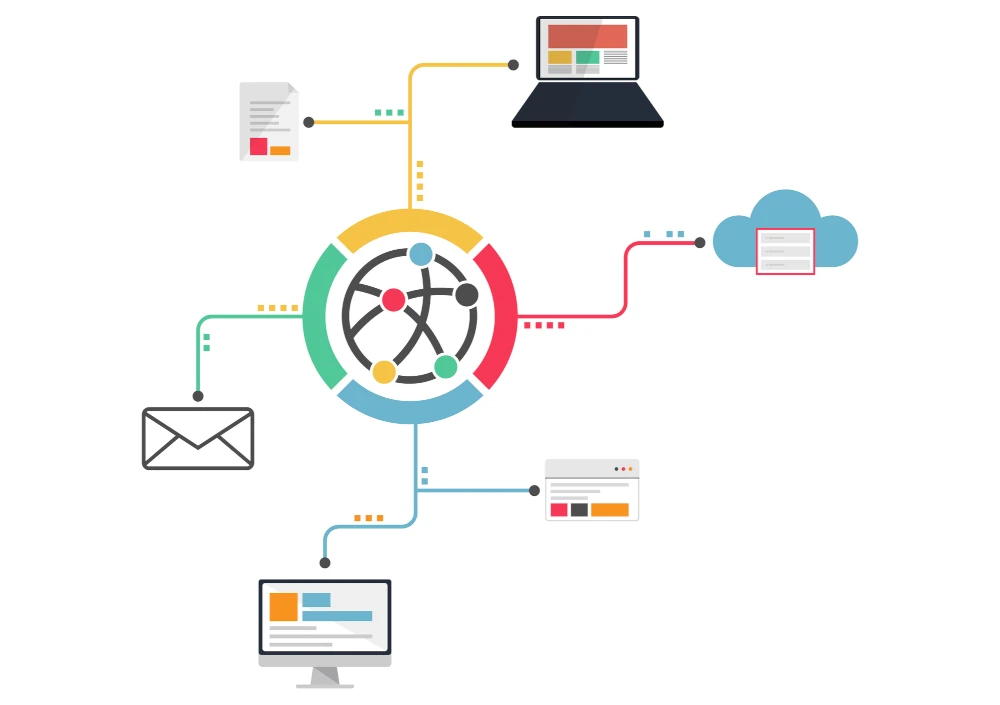
A webhook flips the usual request pattern around. Instead of a dashboard asking a source system ‘anything new?’ on a schedule, the source system tells the dashboard the moment something happens: an order is placed, a form is submitted, a status changes. That push, rather than pull, is what makes real-time data integration possible without constantly polling a system that has nothing new to report most of the time.
ClicData’s answer is the Data Hooks module:: configurable endpoints built to receive and parse inbound data the instant it arrives. A Data Hook can receive an inbound web service call — the kind Stripe or Shopify fires when an event happens — and it can also process inbound custom emails, useful for the surprising number of business systems whose only automated output is an email with data attached. MQTT broker support, common in IoT and sensor-based setups, is on ClicData’s roadmap.
In practice, setting one up looks like this: a Data Hook endpoint gets created in ClicData, that endpoint’s URL gets registered in the source app’s webhook settings (or an email gets routed to the Data Hook’s address), and from that point on, every event the source app fires lands in the ClicData warehouse automatically. After this, it’s ready for the same dashboards that show the rest of the business’s data. More on configuring Data Hooks is in ClicData’s documentation.
If you’re not writing your own integration code, this is the practical meaning of API data integration done the easy way: the plumbing is already built, and the work is pointing a source system at an endpoint rather than maintaining a listener service.
API-based integration: what building it yourself actually involves
An API looks simple from the outside: send a request, get data back. The complexity shows up in the details that every production integration has to handle, and that rarely make it into the pitch for ‘just build it ourselves’:
- Pagination. Most APIs cap how much data comes back per call, and they cap it differently: offset-based, cursor-based, page-token-based, and several variations within each. A team building this in-house typically supports one or two patterns and hand-codes a new one every time a source app doesn’t match.
- Authentication. OAuth, basic auth, AWS-style signing, API keys in a header versus a query string: each source app picks its own, and each one needs to be implemented, tested and kept working when tokens expire or rotate.
- Throttling. Hit a rate limit without handling it gracefully, and a pipeline either drops data or the source app temporarily blocks the account.
- Payload formats. XML, JSON, delimited text, and the inevitable app that returns all three depending on the endpoint.
ClicData’s API connector — used for SOAP, REST and GraphQL sources — handles this with 15 pagination modes, 8 authentication methods (including OAuth, basic auth, and AWS), and automatic throttling. It also supports XML, JSON, text, and delimited payloads, plus header, body, and cookie parameterization, and multiple calls with dynamic IDs. The developer platform covers the full specification.
The real comparison isn’t ‘build vs. buy’ in the abstract. It’s the ongoing engineering hours a team spends maintaining homegrown connectors against new source apps, token rotations and rate-limit changes, measured against the cost of a tool that already absorbed that maintenance for hundreds of integrations.
Security considerations for real-time data pipelines
A real-time pipeline usually means more open connections and more frequent data movement than a nightly batch job, which raises the bar on what ‘secure’ needs to mean in practice.
For data in transit, TLS 1.2 is the floor, not the target; ClicData requires TLS 1.2 or higher for all communication to and from its servers, databases and clients. At rest, data is encrypted with AES-256. Infrastructure runs on Microsoft Azure and AWS.On the compliance side, ClicData holds ISO 27001, ISO 27701 and SOC 2 Type 2 certification, alongside GDPR, CCPA and HIPAA compliance, which matters for an enterprise data integration review that has to check more than ‘is the connection encrypted.’
For teams that can’t open inbound firewall connections at all, whether that’s a security policy or an industry requirement, ClicData’s Data Loader application sends data out from behind the firewall instead, requiring only outbound HTTPS access. It’s lightweight (under 35 MB), runs on Windows, Linux or macOS, and applies three levels of security and encryption to data in transit, without ever requiring an inbound rule on the corporate network.
None of this replaces your own security team’s review process. It does mean the usual blockers, ‘we can’t expose an endpoint,’ ‘we need audit-ready compliance documentation,’ have a direct answer before the conversation gets to a no.
Real-time data integration examples by use case
- E-commerce inventory and order tracking. A webhook fires the moment an order is placed, updating stock counts across every sales channel before the next customer sees a product that’s already sold out.
- Restaurant and hospitality daily sales monitoring. A multi-location chain watches sales land throughout service, catching a slow location or a broken POS terminal the same afternoon instead of at month-end close.
- Ad spend pacing. Marketing teams watch spend accumulate against a daily budget across platforms, pausing an overspending campaign before the budget runs out, not after.
- Call center activity. Queue length, average wait time and agent availability update continuously, letting a shift lead reassign staff while a spike is still happening.
Each of these shares the same shape: a decision that has to happen within minutes, tied to data that changes by the minute. That overlap is what should decide whether you build a real-time pipeline, not whether it sounded impressive in a planning meeting.
FAQs
What is real-time data integration?
Real-time data integration moves data into a warehouse or dashboard within seconds or minutes of an event happening, using webhooks, APIs or streaming connections, rather than waiting for a scheduled batch job. It suits situations where someone needs to act on the data almost immediately.
What are data integration tools?
Data integration tools connect, transform and load data from source systems, such as CRMs, databases or apps, into a central destination like a data warehouse. They range from simple connectors that move data on a schedule to platforms like ClicData that combine connectors, ETL, a warehouse and dashboards in one place.
What are the best cloud data integration tools?
The right tool depends on whether the need is mainly moving data (connector-focused tools), transforming and warehousing it for BI (end-to-end platforms like ClicData), or streaming events at large scale (infrastructure like Kafka). Match the tool to whether reporting, engineering, or both own the pipeline.
Is real-time data integration expensive to set up?
Building it in-house is the expensive path: handling pagination, authentication, throttling, and failure recovery takes real engineering time. Using a managed connector or a Data Hooks-style module is largely a configuration task, which is usually far cheaper than maintaining custom code against every source app’s API changes.
Do I need real-time data for my dashboards?
Only if someone acts on that dashboard within minutes of it changing: operational alerting, inventory, or live monitoring, for example. Reports reviewed daily, weekly or monthly rarely benefit from real-time data enough to justify the added complexity over a scheduled refresh.
What’s the difference between a webhook and an API connector?
A webhook is push-based: the source system sends data the moment an event happens. An API connector is typically pull-based: it requests data from the source on a schedule or on demand. Many real-time setups use both, webhooks for instant events and APIs for everything else.