ClicData supports a wide range of customization on all of its widgets and dashboards which allows most users to make it look just the way they’d like. However, there are instances, for example matching a corporate style template, where you may want to take the customization a bit further than the widget settings will allow. The great thing is that if you know a little bit of CSS, we have support for that too!
Each widget you place on your dashboard is a unique entity when rendered in your browser. What this means is you can to not only customize your entire dashboard, but you can get as granular as changing the font-weight for a header on a single widget. You can pretty much change anything you’d like to style-wise with a few lines of code.
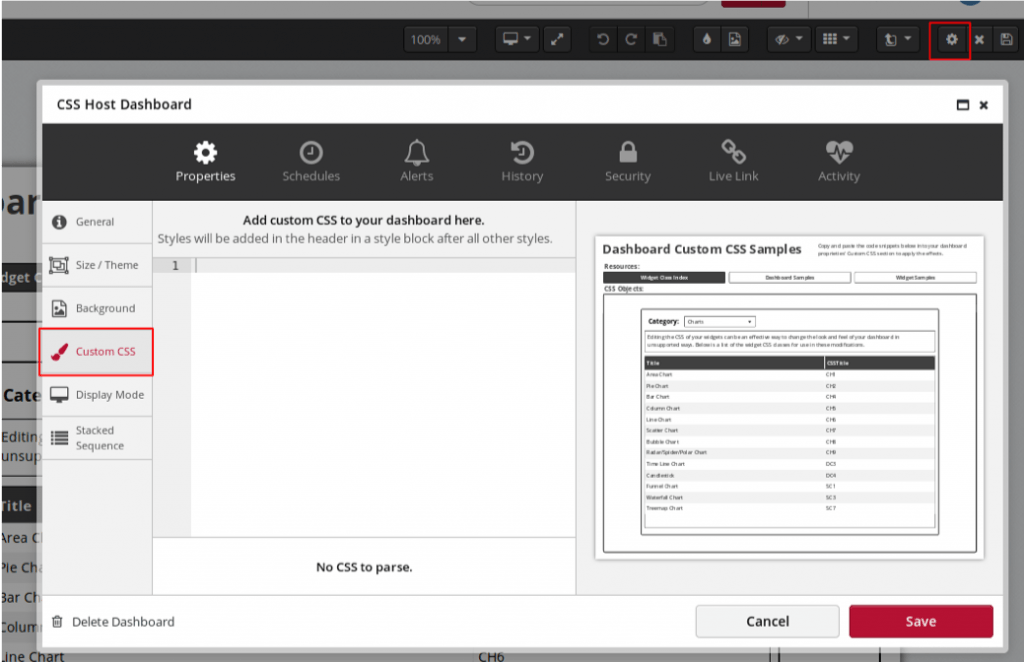
To find the custom CSS functionality on your dashboard you just have to access your dashboard’s main properties screen by clicking the gear at the top right. Once on this screen, under the ‘Properties’ tab, you can find the ‘Custom CSS’ section. Here you have a blank text editor to apply a custom CSS sheet to your dashboard which will override the default styles.
For example, some common items you can modify are the margin, width, and float properties. Changing these will allow you to do things like adding a second column where it wouldn’t normally be supported in the widget’s properties. You can see the example below where the Date Range Picker options are in two columns instead of the default one.
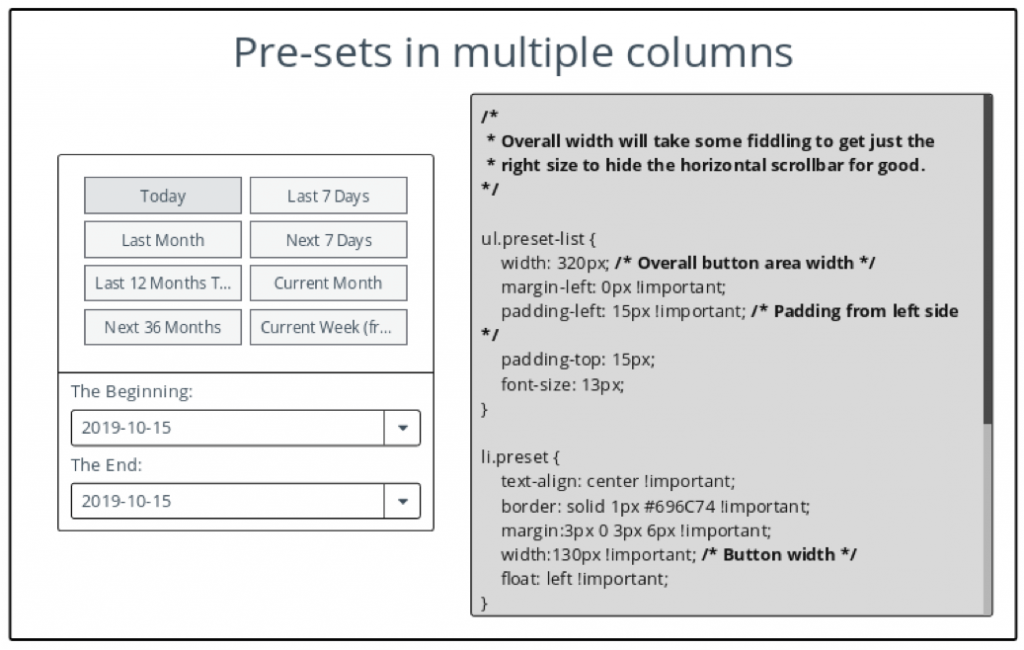
Using CSS, you can change not only the style of your dashboard but some functional elements as well.
For example, you can force text in the paragraph widget, which is non-interactable by default, to be selectable. This can be accomplished by simply modifying the user-select parameter to ‘text’.
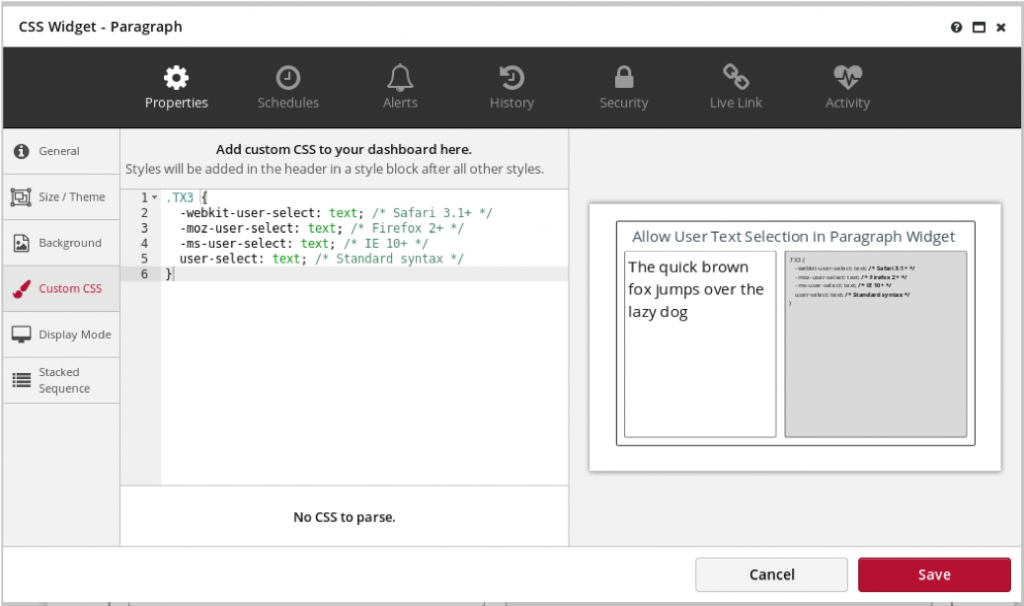
You can find a small library of frequently requested CSS modifications (including the one mentioned above) and an index of widget CSS classes on this custom CSS example dashboard.
Navigate through the dashboard and select the different options to preview the rendering. You can copy/paste these examples for your own dashboards.
It’s important to note that any changes made in the CSS editor may not be supported by future development. We don’t make changes to CSS classes often, but when a major update to the interface occurs it may affect your dashboard customizations.
Start building awesome, custom dashboards!
Login to your account or signup for a free trial account and be creative!